
Complex Quotes
Creating detailed estimates can be time-consuming, especially when dealing with multiple line items and customer-specific requirements.
Mobile invoicing for Construction
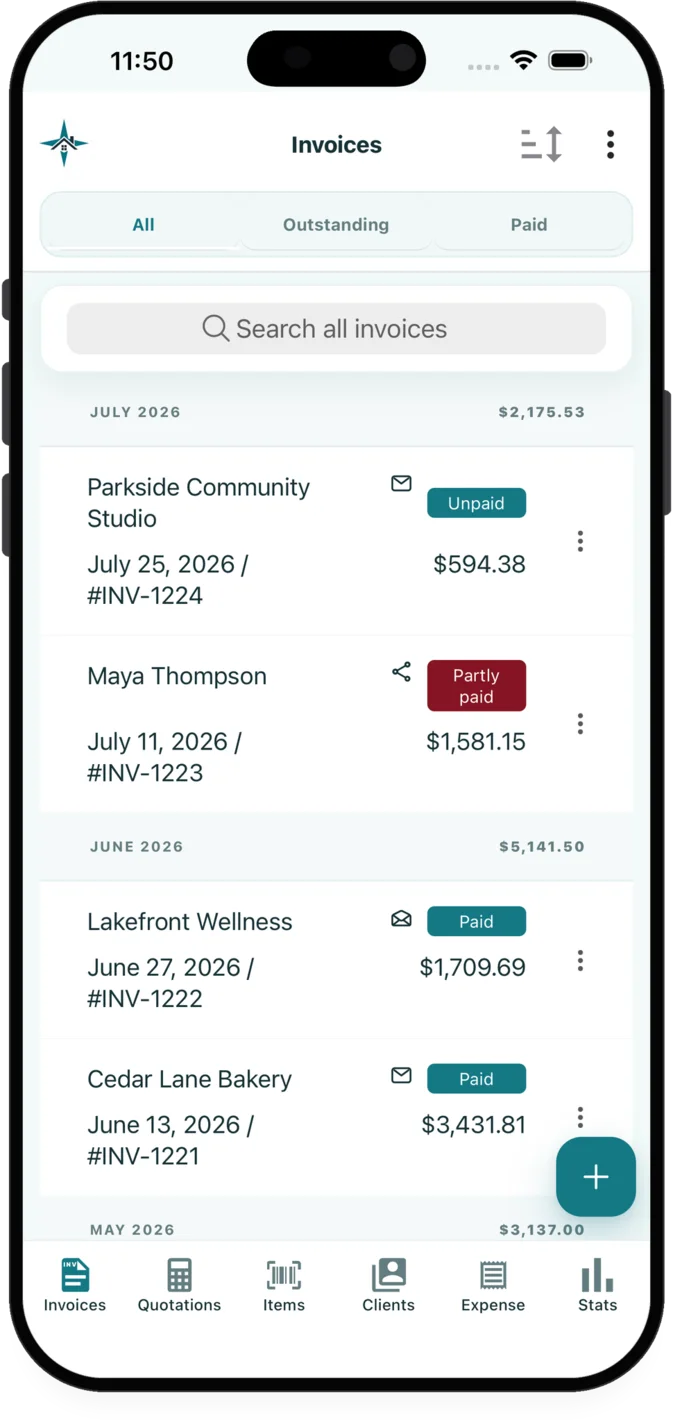
InvoiceXpress gives electricians access to quotes and invoices from the app, contracts and separate change orders, private job-photo galleries from an app for iOS and Android.
The administrative work
Electricians often need to account for complex quotes and safety certifications. InvoiceXpress connects the customer, quote, invoice, payment and supporting records used for that work in an app for iOS and Android.
Creating detailed estimates can be time-consuming, especially when dealing with multiple line items and customer-specific requirements.
Keeping track of safety certifications for yourself and your team is crucial but often difficult to manage efficiently.
Collecting payments can be a challenge, especially when dealing with partial or late payments from clients.
Relevant features
These capabilities are selected for the workflow described on this page.
Create, edit, preview and send quotations and invoices on iOS or Android. Convert an accepted quotation into an invoice without re-entering its customer or line items.
Create a contract for an invoice or quotation, collect a signature or initials, and document later scope changes without replacing the original agreement.
Organize before, progress, after, issue and general photos in private galleries connected to customer and document records.
Industry example
Customers can review electrical work more easily when the document names the area or circuit involved. Separate line items also make an approved scope change easier to document without rewriting the original agreement.
| Example line item | Possible unit | What the description can clarify |
|---|---|---|
| Troubleshooting and testing | hour | Diagnostic work before the repair |
| Device or fixture installation | item | Quantity and installation description |
| Cable, boxes and connectors | allowance | Material allowance reviewed before approval |
Examples are starting points only. Businesses should review descriptions, prices, taxes and terms for each customer and jurisdiction.
Read the job-photo guideA practical sequence
Select or add the customer, reuse saved services or materials, enter the scope and pricing, then review the quotation preview.
Email the quotation or invoice with relevant attachments, or share its customer page through the device share sheet.
Use the selected private job-photo galleries tools alongside document activity, payment and balance records.
Explore related workflows
FAQ
Electricians can create, preview and send quotations or invoices in InvoiceXpress on iOS or Android. An accepted quotation can also be converted into an invoice without re-entering its customer and line items.
A quotation can include customer details, scope notes, reusable services or materials, quantities, units, taxes, discounts, photos and payment terms. Review the finished document before sending it.
Yes. Create a separate change order connected to the agreement, record the scope and price adjustment, and request a customer signature or initials without altering the original contract.
Available on iOS and Android
Create customer documents, record payments and expenses, and review business activity from iOS or Android.